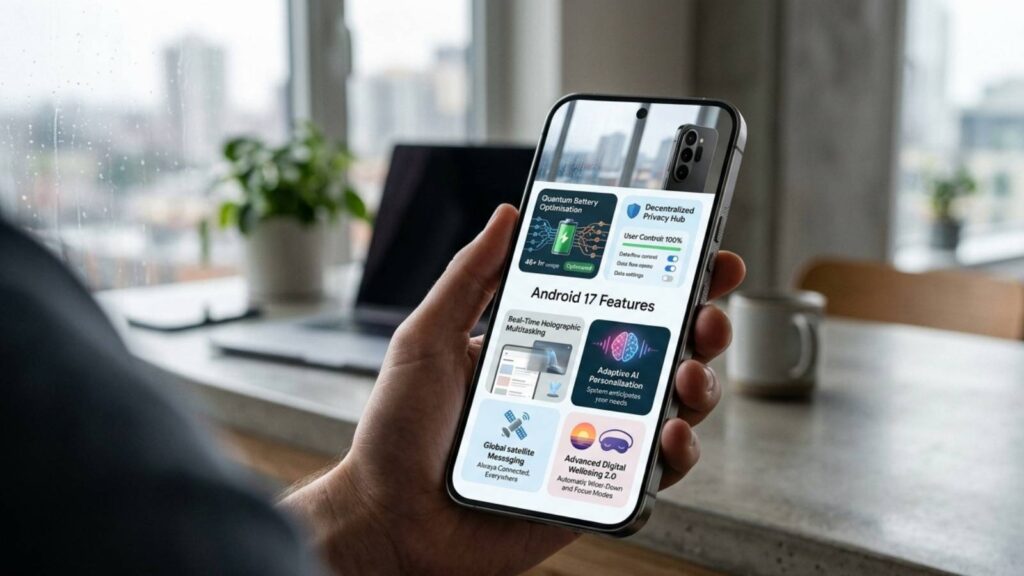
Android 17 is Google’s latest Android operating system, designed to deliver a smarter, faster, and more secure mobile experience. This major tech update introduces deeper Gemini AI integration, a refreshed Material 3 Expressive design, improved battery optimization, enhanced privacy protections, and better support for foldable devices, tablets, and large-screen displays. It also brings meaningful upgrades to the camera, gaming performance, notifications, and system security.
Below get to know everything about Android 17 features, including its release date, system requirements, supported devices, hidden features, installation methods, and the most common issues users may encounter after updating.
Android 17 Release Date
Google officially released Android 17 on June 16, 2026, with eligible Pixel devices receiving the update first. Other smartphone brands are expected to roll out Android 17 gradually over the following months.
Developer Preview
Google introduced Android 17 through the Canary Program in January 2026, giving developers early access to test new APIs, AI features, and system improvements.
Beta Program Timeline
The Android 17 Beta Program began on February 13, 2026, followed by multiple beta releases through June 2026, helping improve stability before the official launch.
Stable Release Date
The stable version of Android 17 was officially released on June 16, 2026, bringing new AI features, enhanced security, better battery life, and performance improvements.
Rollout Schedule
- June 16, 2026: Google Pixel devices
- July–September 2026: Samsung, OnePlus, Xiaomi, OPPO, Vivo, Motorola, Nothing, and other flagship phones
- Late 2026: Eligible mid-range and budget devices
Android 17 System Requirements
Before you install Android 17, make sure your device meets the necessary hardware and software requirements. Google has optimized Android 17 for modern smartphones, especially those that support AI-powered features, enhanced security, and improved performance. Although the exact requirements vary by manufacturer, the following specifications provide the best Android 17 experience.
Minimum RAM
Android 17 requires at least 4GB of RAM to run, but Google recommends 6GB or 8GB of RAM for smoother multitasking and AI features. Devices with more RAM can keep more apps active in the background, launch applications faster, and deliver better overall performance.
Required Storage
Your phone should have at least 16GB of internal storage and 8–10GB of available free space before installing Android 17. Free storage allows the system to download the update, install new files, and optimize apps without interruptions.
Processor Requirements
Android 17 works best on 64-bit processors with modern AI capabilities. Devices powered by Google Tensor, Qualcomm Snapdragon 8-series, MediaTek Dimensity 8000/9000 series, and Samsung Exynos 2200 or newer can fully utilize Android 17’s AI features, improved graphics, and enhanced power efficiency.
Compatibility Rules
Your smartphone must qualify for Android 17 under the manufacturer’s software update policy. The device should support 64-bit architecture, run the latest available security patches, and meet Google’s compatibility standards. If your phone has reached the end of its software support period, you won’t receive the Android 17 update, even if the hardware meets the minimum requirements.
Top Android 17 Features
Android 17 brings significant improvements in AI, performance, privacy, battery life, gaming, and multitasking. Below are the standout features that make Android 17 one of Google’s smartest Android releases.
1. Gemini AI Integration
Google integrates Gemini AI directly into Android 17, allowing users to complete everyday tasks faster.
- AI Writing: Rewrite, summarize, and correct text across supported apps.
- AI Search: Search photos, files, settings, and apps using natural language.
- AI Call Assistant: Screen spam calls, identify unknown callers, and summarize conversations.
- AI Screenshot Search: Find screenshots by searching keywords like “invoice” or “flight ticket.”
- AI Smart Reply: Get context-aware reply suggestions for emails and messages.
2. New Material Design
Android 17 introduces a cleaner and more customizable interface.
- Material 3 Expressive: New colors, icons, typography, and personalization options.
- New Animations: Smoother app opening, closing, and navigation animations.
- Lock Screen Changes: Improved clock styles, shortcuts, and notification layout.
- Dynamic Themes: Automatically matches system colors with your wallpaper.
3. Better Battery Life
Google improves battery efficiency using AI-powered optimization.
- Adaptive Charging: Learns your charging habits to extend battery lifespan.
- AI Battery Prediction: Limits background apps based on usage patterns.
- Background Process Improvements: Uses fewer system Resources for better performance.
- Sleep Mode Optimization: Reduces battery drain when your phone is idle.
4. Enhanced Privacy & Security
Android 17 strengthens user privacy with smarter security tools.
- Scam Detection: Warns users about suspicious calls and messages.
- Theft Protection: Automatically locks the device if theft is detected.
- Private Space Improvements: Better protection for sensitive apps and files.
- Better Permission Manager: Gives users more control over app permissions.
- App Sandboxing: Isolates apps to prevent unauthorized data access.
5. Improved Notifications
Android 17 makes notifications smarter and less distracting.
- Smart Notification Grouping: Organizes alerts from the same app.
- Notification Cooldown: Reduces repeated notification sounds.
- AI Suggested Actions: Suggests replies, reminders, or navigation directly from notifications.
6. Quick Share Improvements
Sharing files becomes faster and more reliable.
- Faster Transfer: Improved speed for large files.
- Cross-device Sharing: Seamlessly share files between Android devices.
- Better Windows Support: Easier file transfers between Android phones and Windows PCs.
7. Smarter Widgets
Widgets become more useful and interactive.
- Interactive Widgets: Perform actions without opening apps.
- AI Widget Suggestions: Recommends widgets based on your daily usage.
- Lock Screen Widgets: Access weather, calendar, and smart home controls instantly.
8. Camera Enhancements
Android 17 improves mobile photography with AI.
- Better Night Mode: Captures brighter and clearer low-light photos.
- Faster HDR: Delivers improved colors and contrast.
- Professional Camera API: Gives apps better manual camera controls.
- AI Photo Editing: Removes unwanted objects and enhances images automatically.
9. Gaming Improvements
Gamers benefit from better graphics and smoother gameplay.
- Better GPU Scheduling: Improves graphics performance.
- Reduced Lag: Optimizes background processes during gaming.
- Higher FPS: Delivers smoother gameplay on supported devices.
- Game Dashboard Updates: Provides quick access to gaming tools and performance settings.
10. Foldable & Tablet Features
Android 17 enhances productivity on large-screen devices.
- Desktop Mode: Offers a PC-like experience with external displays.
- Better Multitasking: Improves app switching and drag-and-drop support.
- Improved Split Screen: Makes multitasking easier with better window management.
- External Display Support: Expands compatibility with monitors and larger screens.
Hidden Android 17 Features
Android 17 includes several hidden features that improve usability, customization, and accessibility but aren’t widely highlighted by Google.
- New Boot Animation: Delivers a smoother startup animation with updated visuals.
- Hidden Developer Options: Adds new debugging, animation, and performance settings for advanced users.
- New Easter Egg: Includes a hidden Android 17 animation that you can unlock from Settings > About Phone.
- New Quick Settings: Features cleaner tiles, improved layout, and easier customization.
- Hidden Accessibility Features: Enhances voice controls, magnification, Live Captions, and screen reading tools.
- New Power Menu: Provides faster access to Wallet, smart home controls, and emergency options.
- Secret Gesture Controls: Introduces new gesture shortcuts for quicker navigation and common actions.
These hidden additions may seem small, but they make Android 17 more polished, customizable, and user-friendly.
Android 17 Supported Devices
Android 17 first arrived on Google Pixel smartphones and will gradually roll out to eligible devices from Samsung, OnePlus, Xiaomi, OPPO, Vivo, Motorola, Nothing, Realme, Honor, and Sony. Availability depends on each brand’s software update policy and regional rollout schedule.
Google Pixel
Google Pixel devices receive Android 17 updates first. Eligible models include:
- Pixel 10
- Pixel 10 Pro
- Pixel 10 Pro XL
- Pixel 10 Pro Fold
- Pixel 9, 9 Pro, 9 Pro XL, 9 Pro Fold
- Pixel 8, 8 Pro, 8a
Samsung
Samsung will release Android 17 with One UI for its latest flagship phones, including:
- Galaxy S26 Series
- Galaxy S25 Series
- Galaxy S24 Series
- Galaxy Z Fold Series
- Galaxy Z Flip Series
OnePlus
Eligible OnePlus flagship and premium mid-range devices are expected to receive Android 17 with the latest OxygenOS, including the OnePlus 13, OnePlus 12, OnePlus Open, and newer Nord models.
Xiaomi
Xiaomi will roll out Android 17 through HyperOS for supported Xiaomi, Redmi, and POCO smartphones, beginning with its flagship models.
OPPO
OPPO plans to release Android 17 with ColorOS for eligible Find X, Reno, and selected A-series devices.
Vivo
Vivo will bring Android 17 through Funtouch OS to supported X, V, and selected Y-series smartphones.
Motorola
Motorola is expected to update eligible Edge, Razr, and select Moto G smartphones with Android 17.
Nothing Phone
Nothing will release Android 17 with Nothing OS for supported devices, including:
- Nothing Phone (3)
- Nothing Phone (2)
- Selected CMF by Nothing models
Realme
Realme has confirmed that eligible devices will receive Android 17 with Realme UI. The rollout is expected to begin with the GT Series, followed by newer Number Series and selected Narzo smartphones.
Honor
Honor will introduce Android 17 through MagicOS for supported devices, including the Magic Series, Magic V foldables, and selected Honor Number Series phones.
Sony Xperia
Sony will bring Android 17 to eligible Xperia 1, Xperia 5, and Xperia 10 series smartphones. Flagship Xperia devices are expected to receive the update before mid-range models.
Note: The Android 17 rollout varies by region and device model. Check your phone manufacturer’s update policy or Settings > Software Update to see when the update becomes available for your device.
Which Phones Will NOT Get Android 17?
Not every Android smartphone will receive the Android 17 update. Devices that have reached the end of their official software support period will remain on Android 16 or continue receiving only security patches.
Some phones that are unlikely to receive Android 17 include:
- Google Pixel 7 and older Pixel models
- Older Samsung Galaxy A-series devices (A13, A14, A23, and similar models)
- Older Xiaomi, Redmi, and POCO smartphones that have completed their update cycle
- Older OnePlus devices, such as the OnePlus 10 series and earlier (depending on the model)
- Other budget phones from OPPO, Vivo, Motorola, Realme, and Honor that are no longer covered by their software update policy.
Tip: If you’re unsure whether your phone supports Android 17, check your manufacturer’s official update policy or go to Settings > Software Update on your device.
How to Install Android 17
Installing Android 17 is simple if your smartphone is eligible for the update. Google offers multiple installation methods, ranging from the standard OTA update for everyday users to manual flashing for developers and advanced users. Before installing, back up your important data, ensure your phone has at least 50% battery, and connect to a stable Wi-Fi network.
OTA Update (Recommended)
The Over-the-Air (OTA) update is the safest and easiest way to install Android 17. Once the update is available for your device, you’ll receive a notification automatically.
Steps to install:
- Open Settings > System > Software Update.
- Tap Check for Updates.
- Download the Android 17 update.
- Tap Install and restart your device.
Beta Installation
If you want early access to Android 17 features, you can join the Android Beta Program (available for supported devices). Beta versions let you test new features before the official release but may contain minor bugs.
Steps to install:
- Enroll your eligible device in the Android Beta Program.
- Check for the OTA beta update.
- Download and install it like a regular software update.
Manual Flash
Advanced users can manually install Android 17 using the Android Flash Tool or official factory images. This method is useful for developers or users who want to install the latest version immediately.
Requirements:
- Unlock the bootloader (if required).
- Enable USB Debugging.
- Flash the official Android 17 image using a computer.
Common Android 17 Problems
Android 17 brings several improvements, but some users may encounter temporary issues after installing the update. Most of these problems occur during the initial days as the system optimizes apps and background processes. Google and smartphone manufacturers usually address them through subsequent software updates.
1. Battery Drain
Some users may experience Android 17 battery drain after updating. During the first few days, the system performs background optimization, app indexing, and AI processing, which can temporarily increase battery consumption.
2. Android Phone Overheating
Android Phone Overheating is another common issue reported after major software updates. The device may become warm while installing the update, optimizing apps, charging, or running resource-intensive applications. In most cases, the temperature returns to normal once the optimization process is complete.
3. App Crashes
Certain apps may crash, freeze, or fail to open if developers haven’t yet optimized them for Android 17. This issue is more common with older or less frequently updated applications.
4. Bluetooth Issues
Some users may notice Bluetooth connectivity problems, such as pairing failures, random disconnections, or audio delays when using wireless earbuds, smartwatches, or car infotainment systems.
5. Wi-Fi Problems
Android 17 may occasionally cause Wi-Fi issues, including slow internet speeds, unstable connections, or difficulty reconnecting to saved networks after restarting the device.
6. Camera Bugs
A few users may encounter camera-related problems after upgrading, including slower camera startup, occasional freezes, autofocus issues, or reduced image processing performance until future updates improve stability.
7. Play Store Errors
Some devices may experience Google Play Store issues, such as failed app downloads, pending updates, or installation errors immediately after installing Android 17.
8. Screen Flickering on Android
Screen Flickering on Android may occur on some devices after the update, particularly when switching refresh rates, adjusting brightness, or using adaptive display settings. Manufacturers generally resolve these issues through software patches.
Android 17 is a worthwhile upgrade that offers faster performance, intelligent features, and long-term software enhancements. Before updating, verify your device compatibility, back up your data, and install the latest version to enjoy all the new Android 17 features.